




Transitioning to a new email platform is a major step for any business. The fear of lost data, missed emails, and operational downtime often keeps companies stuck on outdated, inefficient legacy systems. Google Workspace Migration with zero downtime. If you need help choosing a Workspace plan before migration, check our Workspace pricing & plans page.
At namastu.com, we eliminate that risk. Our expert deployment team specialises in seamless, highly secure email migrations to Google Workspace. We ensure every single email, contact, and calendar event is transferred perfectly so your team can log in on Monday morning and pick up exactly where they left off. As a trusted partner, we encourage businesses for Google Workspace Migration to run their business smoothly.
Google Workspace Migration Support In India
As an authorised reseller and cloud solutions provider, we don’t just move files—we architect a modern productivity environment tailored to your exact workflow.
-
Zero Operational Downtime: We execute the heavy lifting in the background and configure Dual Delivery or Split Delivery routing, ensuring your day-to-day operations are never interrupted during the transition.
-
100% Data Integrity: We utilise enterprise-grade migration tools to securely port your entire history, maintaining complex folder hierarchies, labels, and read/unread statuses.
-
Advanced Security Configurations: Moving data is only half the battle. We harden your new Google Workspace environment by configuring strict MX, SPF, DKIM, and DMARC records to protect your domain’s reputation from day one.
-
Comprehensive End-User Support: Our team provides direct support to help your employees adapt to the new interface, configure their mobile devices, and maximise the power of Google Workspace.
Platforms We Migrate From
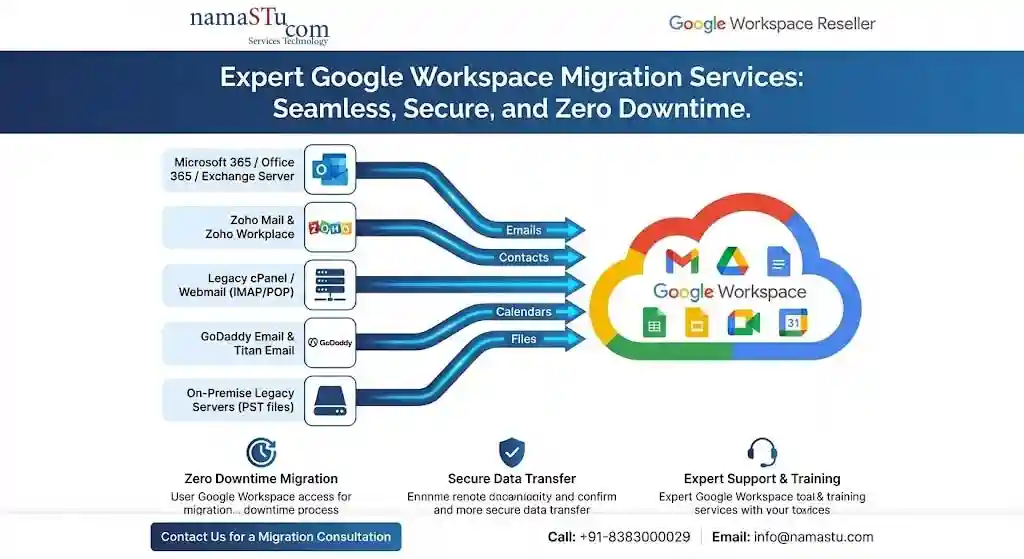
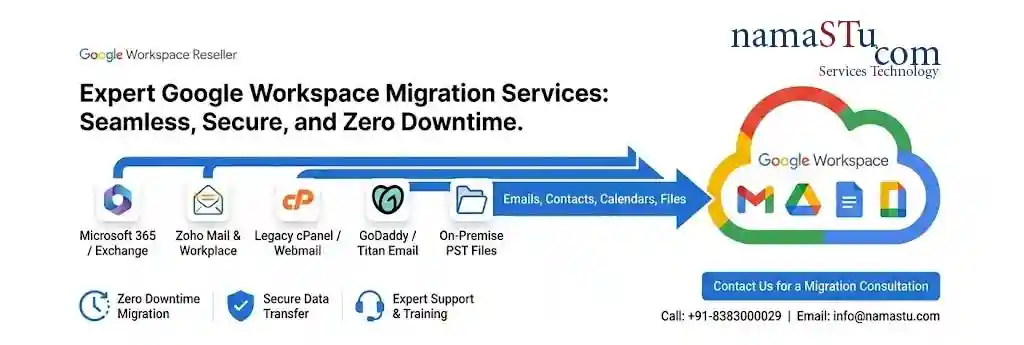
No matter where your data currently lives, our technical experts can securely move it into the Google Cloud:
-
Microsoft 365 / Office 365 / Exchange Server
-
Zoho Mail & Zoho Workplace
-
Legacy cPanel / Webmail (IMAP/POP)
-
GoDaddy Email & Titan Email
-
On-Premise Legacy Servers (PST files)
Our Google Workspace Migration Service Framework
We don’t just move data; we move your business forward. Our 4-step “Zero-Friction” process ensures your operations never stop.
1. Pre-Migration Audit & Strategy
Before the first byte moves, our Indian cloud experts audit your legacy environment (Microsoft 365, Zoho, Rediffmail, or On-Premise). We map out permissions, shared drives, and “technical debt” to ensure a clean start.
2. Secure Data Transfer
We migrate a small subset of accounts (usually the IT team or stakeholders) to verify data mapping, folder translation, and DNS routing in a secure sandbox. Using enterprise-grade tools like Google Workspace Migrate, we securely transfer:
-
Emails & Attachments: Complete history with folder structures intact.
-
Drive Files: Seamless transition from OneDrive/SharePoint or local servers.
-
Calendar & Contacts: Global address lists and recurring meeting schedule
-
The Core Migration: We run the bulk data transfer in the background over several days or weeks, depending on your data volume, without impacting live email delivery
-
Delta Sync & Go-Live: On the cutover date, we update your live MX records to route mail to Google. We then run a final “delta sync” to catch any last-minute emails that arrived on the old server just before the switch.
3. Change Management & Training
The biggest hurdle to migration isn’t technical—it’s human. We provide specialised training for Indian teams, focusing on:
-
Collaborative editing in Docs/Sheets.
- Google Gemini AI Prompts
4. Post-Migration Support & Optimisation
Our 24/7 local support desk ensures that any post-cutover issues are resolved instantly. We also perform a Security Health Check to enable 2-Step Verification (2SV) and Context-Aware Access.
FAQ on Google Workspace Migration
Will we lose any emails during the transition?
Absolutely not. By carefully lowering DNS TTL times and using advanced routing methods before the final cutover, we ensure that every incoming email is captured either by the old server or the new Google Workspace inbox. The final delta sync guarantees nothing falls through the cracks.
How long does an email migration take?
The timeline depends heavily on the volume of data and the speed of the legacy server’s API. A small team might be migrated over a weekend, while an enterprise with terabytes of data might require a multi-week phased approach. We establish a clear timeline during the initial audit.
Will our folder structures and labels stay the same?
Yes. Whether you are coming from an Outlook environment heavily reliant on nested folders or a system using tags, our migration tools translate your existing organisational structure directly into Gmail labels.
Do you handle calendar and contact migration too?
Yes. In addition to mail, we migrate personal contacts, global address lists, and calendar data (including recurring events and meeting permissions) whenever supported by the source platform.
Upgrade Your Business Communication?
Stop settling for clunky interfaces and unreliable email delivery. Reach out to our migration specialists today to scope your project and take the stress out of your cloud transition.
Contact Us Today:
-
Phone: +91-8383-0000-29
-
Email: info@namastu.com
Need More Help With Google Workspace?
- How to Set Up Google Workspace?
- What is Pricing for Google Workspace Business Starter?
- Learn How To Migrate from Zoho to Google Workspace.
- How To Migrate from GoDaddy to Google Workspace?
- Discover how to migrate from cPanel to Google Workspace.
- How To Migrate From Webmail to Google Workspace?
- Learn How To Migrate From Rediff Pro to Google Workspace.
- How To Migrate From Microsoft to Google Workspace?
- How To Get Google Workspace Support?