




Here in this pos we explain 5 Common Mistakes Small Businesses Make When Configuring Google Workspace. Setting up Google Workspace often feels deceptively simple. You verify your domain, add your users, and start sending emails.
However, default settings are rarely the best settings. Many small businesses unknowingly leave their digital doors unlocked or their email reputation vulnerable. These configuration gaps can lead to emails landing in spam, data being lost when an employee leaves, or security breaches.
Common mistakes businesses make when configuring Google Workspace.
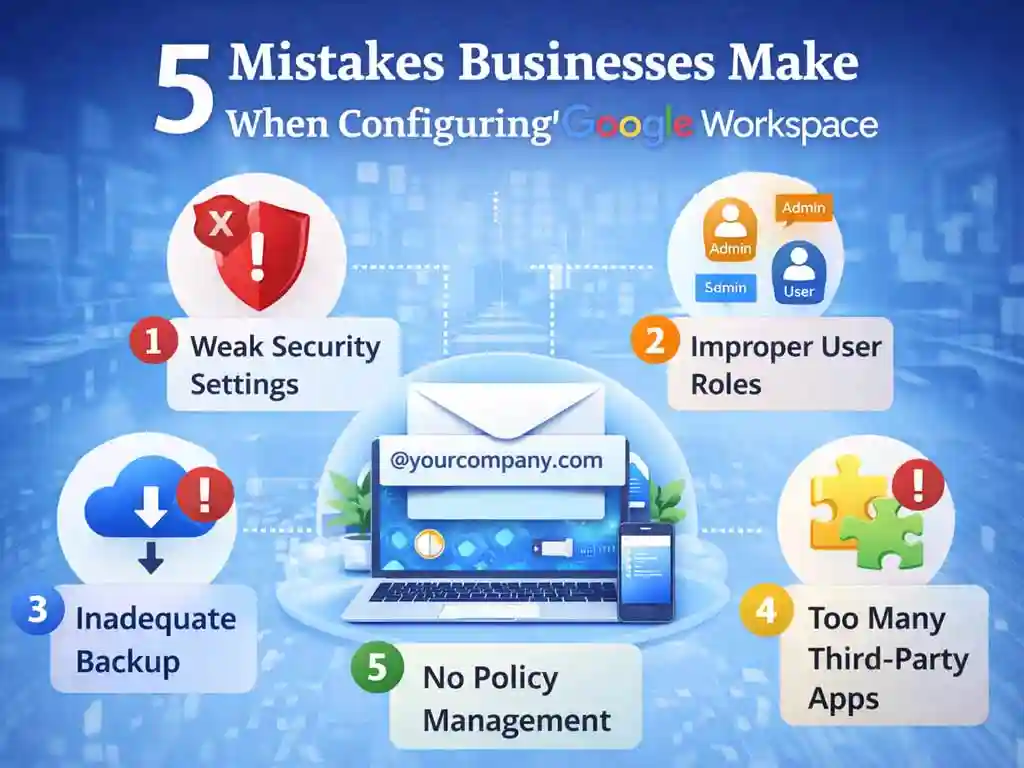
1. The “Deliverability Killer”: Ignoring Email Authentication (SPF, DKIM, DMARC) in Configuring Google Workspace
This is the #1 reason legitimate business emails land in client Spam folders.
Many businesses believe that simply paying for Google Workspace guarantees their emails will be delivered. It does not. You must prove to the rest of the internet that you are who you say you are by adding specific text records to your DNS (Domain Name System).
-
The Mistake: Skipping the setup of SPF, DKIM, and DMARC.
-
The Consequence: Hackers can easily “spoof” your domain (send emails pretending to be you). Consequently, receiving servers (like Outlook or Yahoo) may block your real emails to protect their users.
-
The Fix:
-
SPF (Sender Policy Framework): A list of IP addresses allowed to send email for your domain.
-
DKIM (DomainKeys Identified Mail): A digital signature that verifies the email wasn’t tampered with.
-
DMARC: A rule telling servers what to do if an email fails the SPF or DKIM test (e.g., “Reject it”).
-
2. The “Data Trap”: Relying on ‘My Drive’ Instead of ‘Shared Drives’
In the consumer version of Gmail, everyone stores files in “My Drive.” In a business context, this is a liability.
-
The Mistake: Teams collaborate by sharing folders from their personal “My Drive” with colleagues.
-
The Consequence: If an employee leaves the company and you delete their account, every file they ever created in their My Drive is deleted with them. Even if others had access to those files, the files disappeared because the owner is gone.
-
The Fix: Force the use of Shared Drives (formerly Team Drives). In a Shared Drive, the team owns the files, not the individual. If a member leaves, the files stay put.
3. The “Super Admin” Risk: Giving Everyone the Keys to the Castle
When a small team starts up, it’s convenient to give everyone full access to fix things.
-
The Mistake: Assigning the “Super Admin” role to multiple people or using a generic account (like
admin@company.com) that multiple people share. -
The Consequence: A Super Admin has total control—they can read emails, delete accounts, and reset passwords. If one of these accounts is phished, the hacker owns your entire company.
-
The Fix: Follow the Principle of Least Privilege.
-
Have only one or two Super Admins.
-
Assign limited roles to others (e.g., “User Management Admin” for HR to reset passwords, or “Groups Admin” for managers).
-
4. The “Open Door”: Defaulting to “Anyone with the Link”
Google makes sharing easy—sometimes too easy.
-
The Mistake: Leaving the default sharing setting as “On” for external sharing.
-
The Consequence: Employees often generate a link to a sensitive document and select “Anyone with the link can view” because it’s the fastest way to share it with a client. This link is public. If it is guessed or forwarded, anyone on the internet can access your private data.
-
The Fix: Change the global sharing policy in the Admin Console to “ON – Anyone at [Your Company] with the link.” This ensures that even if a link is shared loosely, an external person must explicitly ask for permission to view it.
5. The “Zombie” Cost: Neglecting the Catch-All and Offboarding
Small businesses often waste money and lose leads due to poor account hygiene.
-
The Mistake: When an employee leaves, the business keeps paying for their license just to keep their email active, OR they delete the user without setting up a route for their incoming mail.
-
The Consequence: You either bleed money paying for inactive seats, or clients emailing the former employee receive a “Address Not Found” bounce back, making you look unprofessional.
-
The Fix:
-
Archive the User: Google offers “Archived User” licenses (cheaper than full licenses) to retain data.
-
Email Routing: Before deleting a user, add their email address as an alias to the manager’s account. This costs nothing and ensures you never miss an email sent to the old address.
-
The above post is on configuring Google Workspace by Namastu.com, Your Partner for Google Workspace & Zoho Mail Solutions
Google Workspace Admin Guide 2026 User & Role Management
[…] namaSTu.com is an authorised Google Workspace partner in India, specializing in business email solutions, Google Workspace migration, admin setup, and security management. The team helps startups, SMEs, schools, and enterprises adopt professional email, cloud collaboration, and secure digital workspaces. With a focus on zero-data-loss migration, compliance-ready billing, and local support, namaSTu.com enables businesses to scale efficiently using Google Workspace. […]
The business email security: 5 Real Business Risks (2026)
[…] namaSTu.com is an authorized Google Workspace partner in India, specialising in business email solutions, Google Workspace migration, admin setup, and security management. The team helps startups, SMEs, schools, and enterprises adopt professional email, cloud collaboration, and secure digital workspaces. With a focus on zero-data-loss migration, compliance-ready billing, and local support, namaSTu.com enables businesses to scale efficiently using Google Workspace. […]
Best Google Workspace plan for small business: A 2026 Guide
[…] namaSTu.com is an authorised Google Workspace partner in India, specialising in business email solutions, Google Workspace migration, admin setup, and security management. The team helps startups, SMEs, schools, and enterprises adopt professional email, cloud collaboration, and secure digital workspaces. With a focus on zero-data-loss migration, compliance-ready billing, and local support, namaSTu.com enables businesses to scale efficiently using Google Workspace. […]